Typewriter Text Effect for Squarespace
A typewriter effect that types and deletes rotating words gives a hero heading energy without a heavy animation library. This Squarespace typewriter snippet is plain vanilla JavaScript: it reads its word list from a data attribute, types each word out, pauses, deletes it, and moves to the next, with a blinking caret drawn in CSS. Visitors who prefer reduced motion see the first word as static text instead. Add the heading in a code block, paste the script, and you are done.
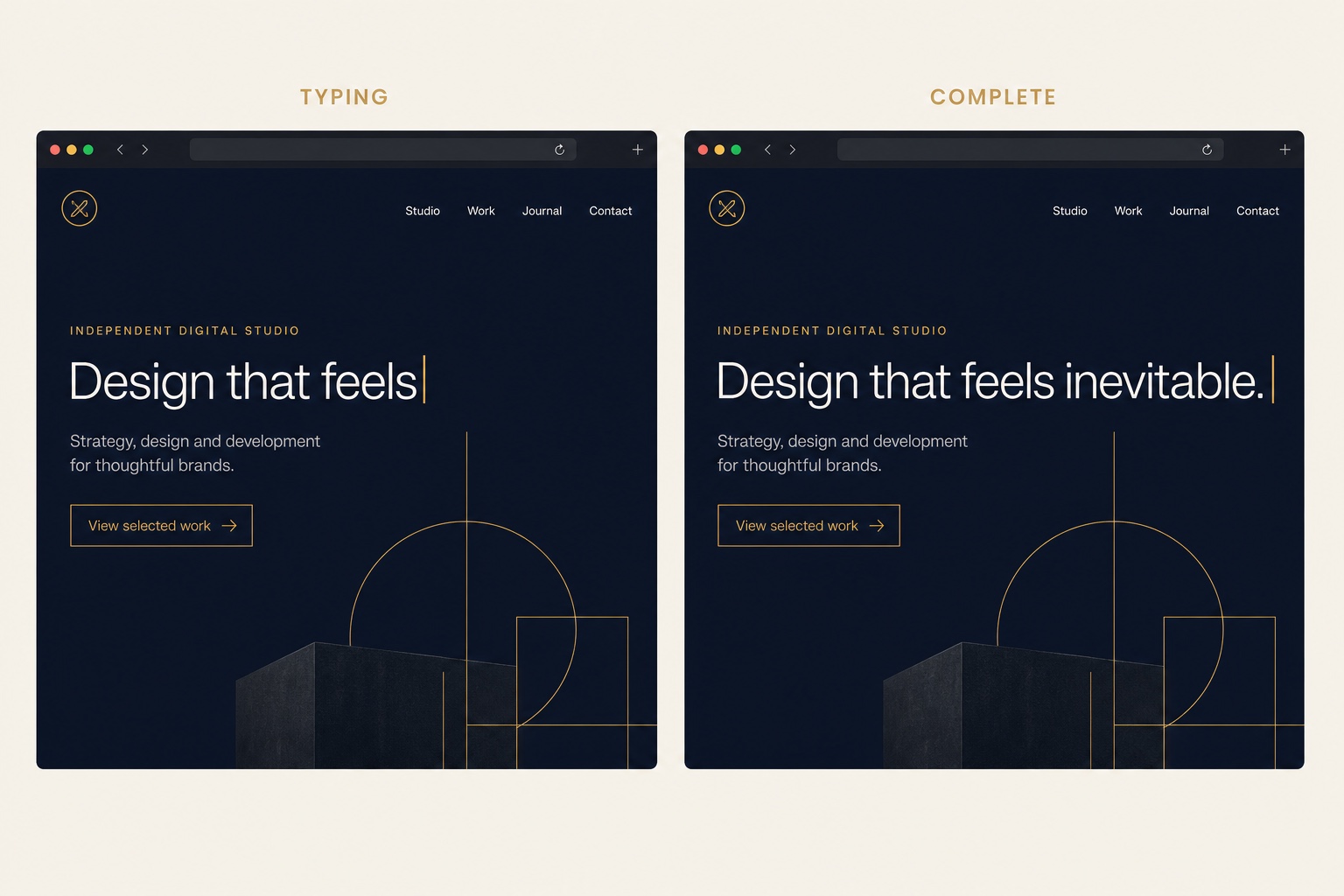
The Code
<!-- Edit the text and the comma separated word list -->
<h2 class="typewriter-heading">
  I build <span id="typewriter" data-words="websites, brands, online stores"></span>
</h2><script>
(function () {
var el = document.getElementById('typewriter');
if (!el) return;
var words = (el.getAttribute('data-words') || '').split(',').map(function (w) {
return w.trim();
});
var wordIndex = 0;
var charIndex = 0;
var deleting = false;
function tick() {
var word = words[wordIndex];
charIndex = deleting ? charIndex - 1 : charIndex + 1;
el.textContent = word.slice(0, charIndex);
var delay = deleting ? 50 : 90; /* delete faster than we type */
if (!deleting && charIndex === word.length) {
delay = 1600; /* pause on the completed word */
deleting = true;
} else if (deleting && charIndex === 0) {
deleting = false;
wordIndex = (wordIndex + 1) % words.length;
delay = 400;
}
setTimeout(tick, delay);
}
/* Respect reduced motion: show the first word as static text */
if (window.matchMedia('(prefers-reduced-motion: reduce)').matches) {
el.textContent = words[0];
} else {
tick();
}
})();
</script>/* Accent color for the rotating word */
#typewriter {
color: #c9974a;
}
/* Blinking caret */
#typewriter::after {
content: "";
display: inline-block;
width: 2px;
height: 1em;
margin-left: 3px;
background: currentColor;
vertical-align: -0.1em;
animation: typewriter-caret 0.9s steps(1) infinite;
}
@keyframes typewriter-caret {
50% { opacity: 0; }
}How to Install It
- 1Edit your page, add a Code block where the heading should appear, and paste the HTML.
- 2Edit the data-words attribute with your own comma separated words.
- 3Go to Settings > Advanced > Code Injection (Website Tools > Code Injection on newer dashboards) and paste the JavaScript into the Footer field.
- 4Paste the CSS into Design > Custom CSS to set the accent color and blinking caret.
Compatibility and Plan Requirements
Squarespace 7.1. Vanilla JavaScript, no libraries. JavaScript in code blocks and code injection requires the Business plan or higher.
This snippet uses JavaScript, which Squarespace only runs through code injection or code blocks on the Business plan or higher. On Personal plans the script will not execute.
More Squarespace Snippets
View all


Want This Done For You?
If you would rather not touch code, or you need something bigger than a snippet, I build custom Squarespace features for clients every week: widgets, search and filter tools, integrations, and full sites.