Announcement Bar Styling for Squarespace
The default Squarespace announcement bar is functional but plain. This snippet restyles it with a gradient background, better typography with letter spacing, and a close button that stays subtle until hovered. Everything is pure CSS targeting the standard .sqs-announcement-bar classes in Squarespace 7.1, so it works on any plan through the Custom CSS panel. Swap the colors for your own brand palette and the bar goes from generic banner to a deliberate part of the design.
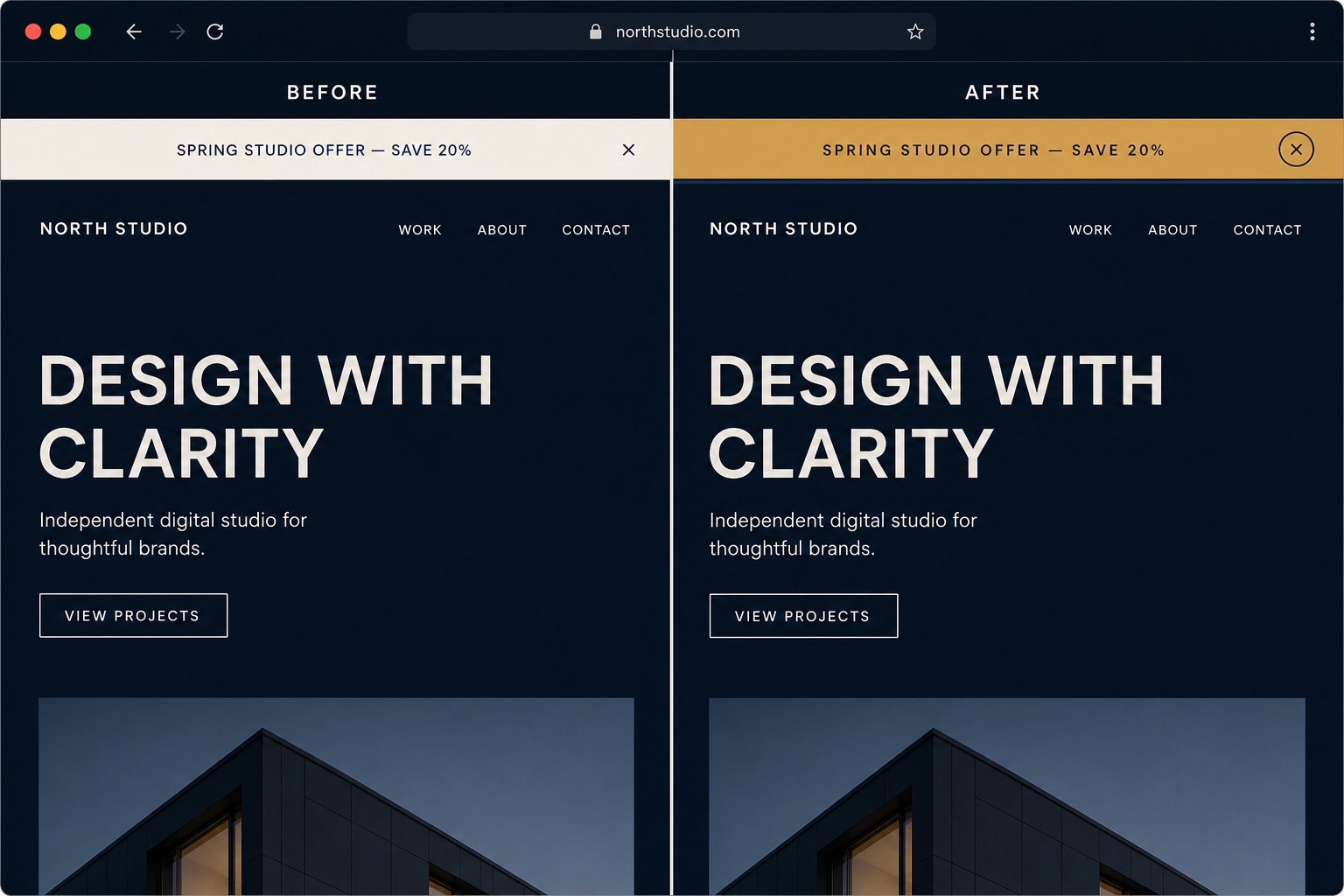
The Code
/* Gradient background for the announcement bar */
.sqs-announcement-bar {
  background: linear-gradient(90deg, #0f1219, #23303f) !important;
}

/* Text and link styling */
.sqs-announcement-bar-text,
.sqs-announcement-bar-text p,
.sqs-announcement-bar-text a {
  color: #e6c98a;
  font-size: 0.85rem;
  letter-spacing: 0.04em;
  text-transform: uppercase;
  text-align: center;
}

/* Underline links on hover only */
.sqs-announcement-bar-text a {
  text-decoration: none;
}
.sqs-announcement-bar-text a:hover {
  text-decoration: underline;
}

/* Close button: quiet until hovered */
.sqs-announcement-bar-close {
  opacity: 0.5;
  transition: opacity 0.2s ease;
}
.sqs-announcement-bar-close:hover {
  opacity: 1;
}
How to Install It
- 1Enable the bar if you have not: click Edit on any page, hover the header, choose Edit Site Header, then turn on Announcement Bar and add your text.
- 2Go to Design > Custom CSS (Website Tools > Custom CSS on newer dashboards) and paste the snippet.
- 3Replace the two gradient colors and the text color with your brand palette, then save.
Compatibility and Plan Requirements
Squarespace 7.1. Targets the standard .sqs-announcement-bar classes. If your template renders the bar differently, inspect it in the browser and adjust the selectors.
This snippet is pure CSS, so it works on any Squarespace plan, including Personal, through the Custom CSS panel. No Business plan needed.
More Squarespace Snippets
View all
Want This Done For You?
If you would rather not touch code, or you need something bigger than a snippet, I build custom Squarespace features for clients every week: widgets, search and filter tools, integrations, and full sites.