Transparent Header for Squarespace
A transparent header lets your hero image or video run all the way to the top of the browser window, which instantly makes a Squarespace 7.1 site feel more custom. This snippet removes the header background and overlays the navigation on your first section using pure CSS, so it works on any Squarespace plan. An optional second block turns the header solid again once visitors start scrolling, using the shrink class Squarespace adds to fixed headers.
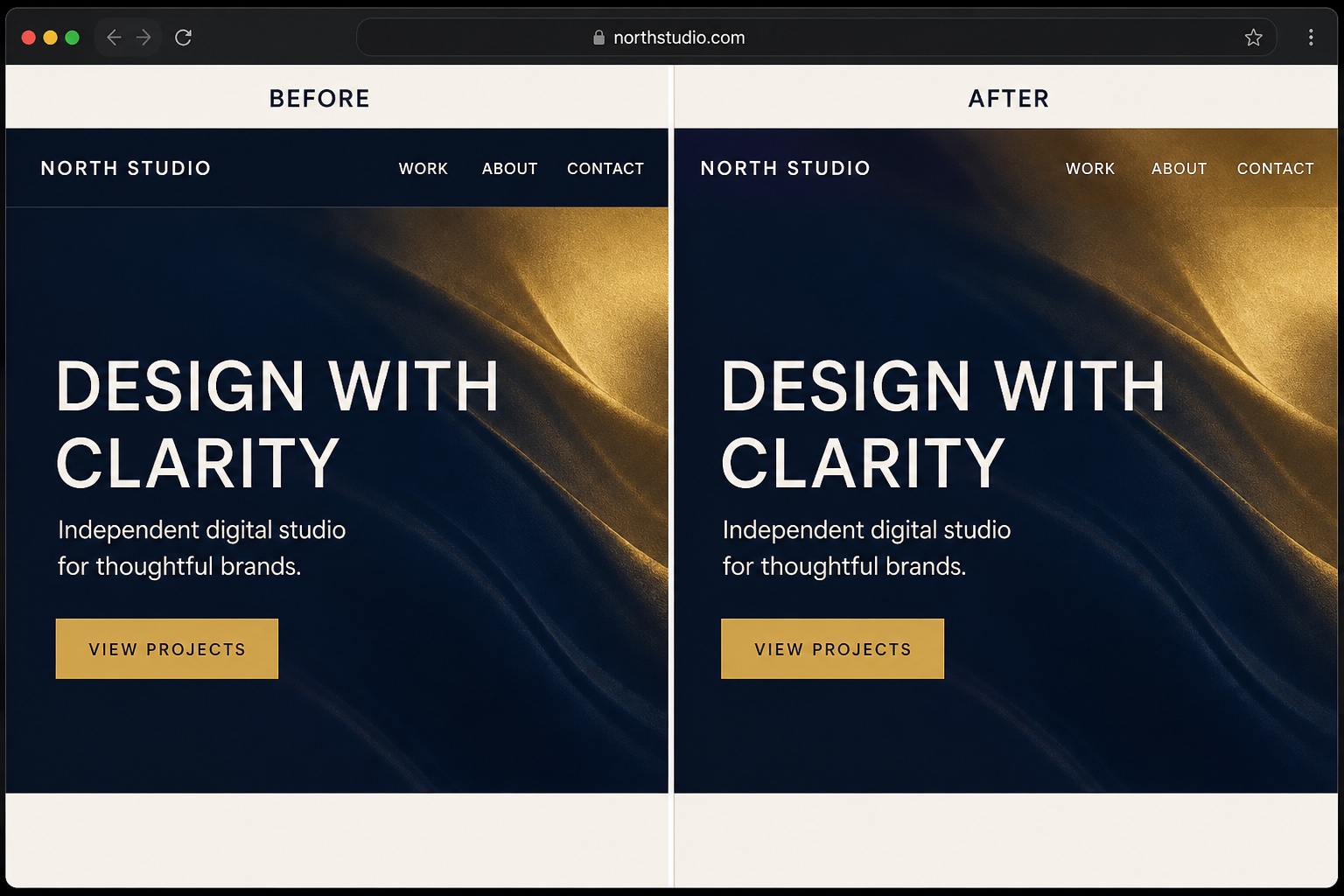
The Code
/* Overlay the header on the first section of every page */
#header {
  position: absolute;
  top: 0;
  left: 0;
  width: 100%;
  z-index: 100;
  background: transparent;
}

/* The header paints its color on this inner layer, clear it too */
#header .header-background {
  background: transparent;
}

/* Optional: light nav links so they stay readable over dark imagery.
   Delete this rule if your pages start with a light section. */
#header .header-nav-item a,
#header .header-title-text a {
  color: #ffffff;
}/* Only works when Fixed Position (Basic) is enabled in the header
editor. Squarespace adds the .shrink class to #header once you
scroll, so we use it to bring a solid background back.
If you use this block, also delete the position, top, left, and
width lines from the block above (the fixed header handles them). */
#header .header-background {
transition: background-color 0.3s ease;
}
#header.shrink .header-background {
background-color: rgba(15, 18, 25, 0.94);
}How to Install It
- 1Go to Design > Custom CSS (Website Tools > Custom CSS on newer dashboards).
- 2Paste the first CSS block and save. The header now overlays the first section of every page.
- 3Keep the white link color rule if your pages open with dark imagery; delete it if they open light.
- 4Optional: for a header that turns solid after scrolling, enable Fixed Position (Basic) in Edit Site Header > Style, remove the position lines from the first block, and add the second block.
Compatibility and Plan Requirements
Squarespace 7.1. The .shrink class in the optional block only appears when Fixed Position is enabled in the header editor. Link color overrides may need adjusting per template.
This snippet is pure CSS, so it works on any Squarespace plan, including Personal, through the Custom CSS panel. No Business plan needed.
More Squarespace Snippets
View all

Want This Done For You?
If you would rather not touch code, or you need something bigger than a snippet, I build custom Squarespace features for clients every week: widgets, search and filter tools, integrations, and full sites.