Scrolling Logo Marquee for Squarespace
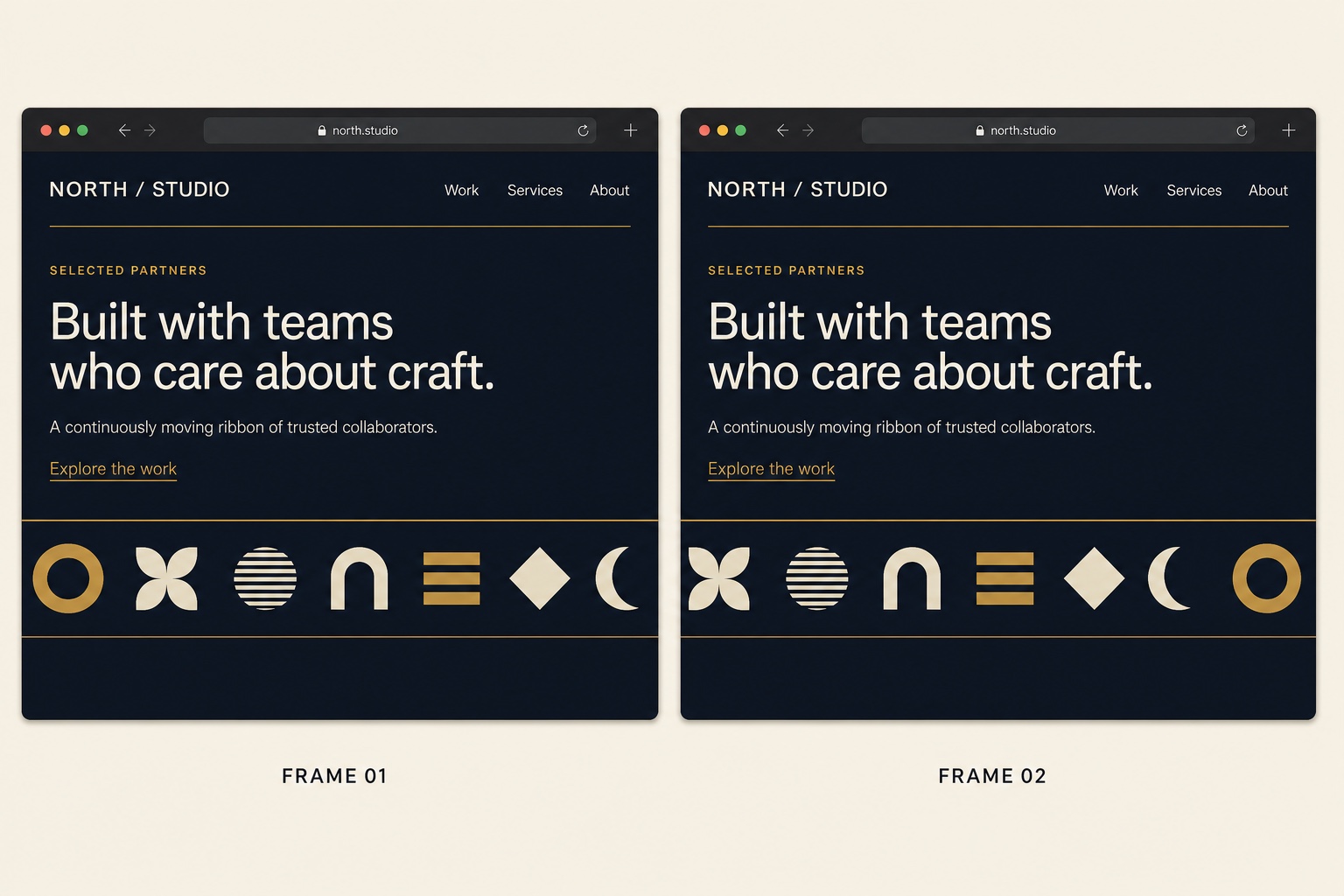
Client logo strips build trust fast, and a gentle infinite scroll lets you show more logos in less space. This logo marquee runs entirely on HTML and CSS: two identical logo groups slide inside a masked container, so the loop is seamless with no JavaScript at all. The edges fade out with a CSS mask, and the animation pauses completely for visitors who prefer reduced motion. Drop the HTML into a code block, add the CSS, and replace the placeholder image URLs with your own logos.
The Code
<div class="logo-marquee" aria-label="Client logos">
  <div class="logo-marquee-track">
    <!-- Group 1: replace the src values with your logo URLs -->
    <div class="logo-marquee-group">
      <img src="https://example.com/logo-1.png" alt="Client one" />
      <img src="https://example.com/logo-2.png" alt="Client two" />
      <img src="https://example.com/logo-3.png" alt="Client three" />
      <img src="https://example.com/logo-4.png" alt="Client four" />
      <img src="https://example.com/logo-5.png" alt="Client five" />
    </div>
    <!-- Group 2: an exact duplicate of group 1, hidden from screen
         readers. Both groups must match for a seamless loop. -->
    <div class="logo-marquee-group" aria-hidden="true">
      <img src="https://example.com/logo-1.png" alt="" />
      <img src="https://example.com/logo-2.png" alt="" />
      <img src="https://example.com/logo-3.png" alt="" />
      <img src="https://example.com/logo-4.png" alt="" />
      <img src="https://example.com/logo-5.png" alt="" />
    </div>
  </div>
</div>/* Masked container: logos fade out at the edges */
.logo-marquee {
overflow: hidden;
width: 100%;
-webkit-mask-image: linear-gradient(90deg, transparent, #000 10%, #000 90%, transparent);
mask-image: linear-gradient(90deg, transparent, #000 10%, #000 90%, transparent);
}
.logo-marquee-track {
display: flex;
width: max-content;
animation: logo-marquee-scroll 30s linear infinite; /* raise 30s to slow down */
}
/* Each group's right padding equals the gap, so a -50% shift
lands exactly on the start of the duplicate group */
.logo-marquee-group {
display: flex;
align-items: center;
gap: 60px;
padding-right: 60px;
}
.logo-marquee-group img {
height: 40px; /* one height keeps mixed logos visually even */
width: auto;
opacity: 0.8;
}
@keyframes logo-marquee-scroll {
from { transform: translateX(0); }
to { transform: translateX(-50%); }
}
/* Stop the animation for users who prefer reduced motion */
@media (prefers-reduced-motion: reduce) {
.logo-marquee-track {
animation: none;
}
}How to Install It
- 1Upload each logo under Design > Custom CSS > Custom Files to get a hosted URL, or use image URLs you already host.
- 2Edit the page where the strip should appear, add a Code block, and paste the HTML.
- 3Replace the placeholder image URLs in both groups; the two groups must contain the same logos in the same order for a seamless loop.
- 4Paste the CSS into Design > Custom CSS and adjust the logo height, gap, and the 30s duration to taste.
Compatibility and Plan Requirements
Squarespace 7.1. Pure HTML and CSS in a code block, no JavaScript. Logo images must be hosted (Squarespace custom files work). Reduced motion users see a static logo row.
This snippet is pure CSS, so it works on any Squarespace plan, including Personal, through the Custom CSS panel. No Business plan needed.
More Squarespace Snippets
View all
Want This Done For You?
If you would rather not touch code, or you need something bigger than a snippet, I build custom Squarespace features for clients every week: widgets, search and filter tools, integrations, and full sites.