Scroll Fade-In Sections for Squarespace
Fading sections in as they enter the viewport adds polish that Squarespace's built in animations only partly cover. This snippet uses IntersectionObserver, the efficient browser API for visibility detection, to add a class to each page section the first time it scrolls into view, while a CSS transition handles the fade and rise. Sections animate once and stay visible, visitors who prefer reduced motion see everything immediately, and browsers without the API are left completely untouched.
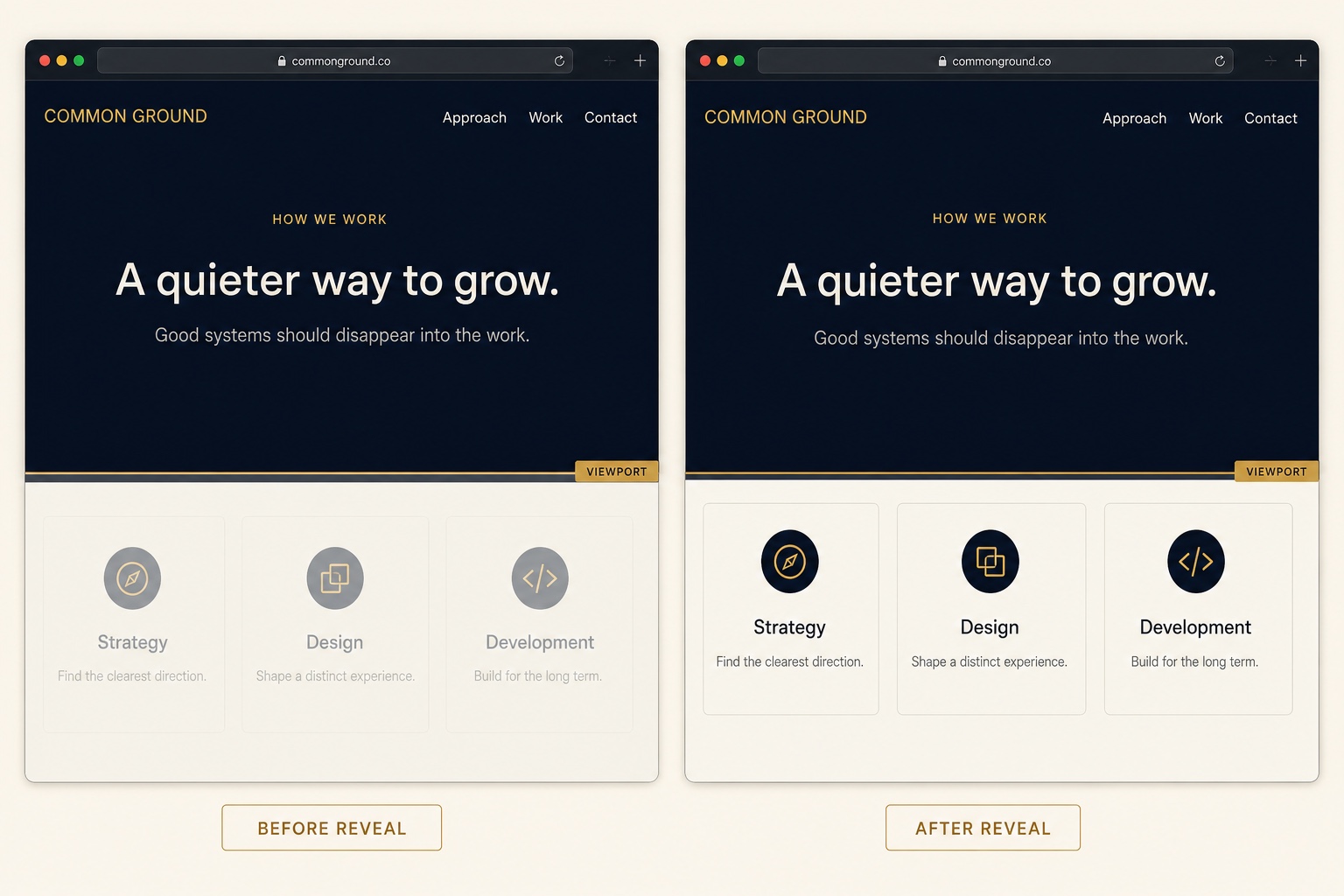
The Code
<script>
(function () {
  /* Respect reduced motion: leave everything visible */
  if (window.matchMedia('(prefers-reduced-motion: reduce)').matches) return;
  if (!('IntersectionObserver' in window)) return;

  /* To skip the very first section on each page (the hero), use:
     var sections = document.querySelectorAll('.page-section:not(:first-child)'); */
  var sections = document.querySelectorAll('.page-section');

  var observer = new IntersectionObserver(function (entries) {
    entries.forEach(function (entry) {
      if (entry.isIntersecting) {
        entry.target.classList.add('is-in-view');
        observer.unobserve(entry.target); /* animate once, then leave it alone */
      }
    });
  }, { threshold: 0.12 });

  sections.forEach(function (section) {
    section.classList.add('fade-section');
    observer.observe(section);
  });
})();
</script>/* Starting state, applied by the script so non-JS visitors
never see hidden content */
.fade-section {
opacity: 0;
transform: translateY(28px);
transition: opacity 0.7s ease, transform 0.7s ease;
}
.fade-section.is-in-view {
opacity: 1;
transform: none;
}How to Install It
- 1Go to Settings > Advanced > Code Injection (Website Tools > Code Injection on newer dashboards) and paste the JavaScript into the Footer field.
- 2Paste the CSS into Design > Custom CSS and save.
- 3By default every section fades in, including the first one on page load; see the comment in the script to skip the hero section.
- 4Reduced motion preferences are handled automatically, nothing extra to configure.
Compatibility and Plan Requirements
Squarespace 7.1. Targets the standard .page-section class. IntersectionObserver is supported in all modern browsers; older browsers skip the effect gracefully and show everything.
This snippet uses JavaScript, which Squarespace only runs through code injection or code blocks on the Business plan or higher. On Personal plans the script will not execute.
More Squarespace Snippets
View all


Want This Done For You?
If you would rather not touch code, or you need something bigger than a snippet, I build custom Squarespace features for clients every week: widgets, search and filter tools, integrations, and full sites.